indra189 Opens One Mobile Lobby for Indonesia
indra189 puts Live Blackjack Elite, Aviator Quick Arena, slots and sports markets behind one clear mobile account path, with DANA and QRIS visible from Home.
Access is available only where local law permits.
Explore Casino and Slots from Home
Casino and slots sit in separate Home rows, so you can browse without mixing live tables with reel-based rooms.




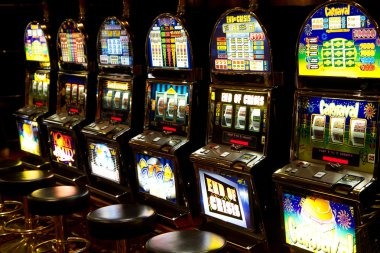


Browse Every Lobby Route from Home

Three clear routes shape our Home lobby: casino rooms, slots and the sportsbook. Live Blackjack Elite provides a direct table reference, while Dragon Tiger, live baccarat and roulette give you dealer-table choices beside the slot area. Aviator Quick Arena and Fishing War Quick Arena add quicker round formats without hiding the standard category controls. Sports sit on their own route,
where football, badminton and basketball markets are organised separately from casino content. We also place Futsal League Bet within the sports area rather than blending it into game rows. This layout lets you return Home, change categories and keep your account session in the same browser path.
Check Your Home Account Path
Open Your Account Through Home
Your account path begins with a clear identity and phone step rather than a collection of similar entry buttons. From Home, choose the account option, enter the requested details and complete phone verification before the lobby opens. Use a phone number you control because it connects your entry check with later account help. Once verified, one account links the casino,
slot, sports and local-wallet areas. We keep the cashier outside the initial form, so payment selection does not distract from creating accurate account details. Before submitting anything, read each field and correct typing errors; a mismatched phone entry can delay the verification stage and require help through the account area.
Switch Between Casino and Slots Easily
Check DANA and QRIS Cashier Status
DANA and QRIS appear as named cashier choices, alongside OVO, GoPay, virtual account and bank transfer. After selecting a rail from Home, confirm that the wallet or bank details match what the cashier displays before sending funds. QRIS uses the displayed code route, while each local wallet has its own status entry to reduce wallet guesswork. For BCA, BRI, Mandiri
or BNI transfers, follow the bank or virtual account fields shown for that request rather than reusing an older reference. Withdrawal requests pass through account and phone checks before their status changes. Keep your receipt reference available because our help path uses it when a transfer remains unresolved.
See How We Keep Home Clear
You should be able to understand a Home page before entering personal or payment details. We identify each local wallet by name, separate phone verification from cashier actions, and keep account help…
Named Payment Rails
We label DANA, OVO, GoPay, QRIS, bank transfer and virtual account separately, letting you identify the intended route before entering payment details or checking a transaction reference.
Clear Phone Stage
Phone verification takes place before full account entry. This gives you a defined account checkpoint and provides a consistent detail for later help with entry or wallet status.
Separated Categories
Live tables, slots and sports markets use different Home routes. You can distinguish Live Blackjack Elite from reel rooms and keep badminton or football markets inside the sportsbook.
Regional Availability
Our Home page serves Indonesia with local wallet and bank context, but use of casino and sports content is available where local law permits. Policy links remain available from Home.

Use One Mobile Path to Home
A mobile browser carries you from account entry to Home without requiring a separate application path. The screen places category controls within thumb reach, then keeps slot search, live tables, sports and cashier status in distinct areas. Open the menu when you need another section rather than repeatedly leaving the lobby. QRIS works through the cashier route with fewer competing
choices on the screen, while DANA, OVO and GoPay retain their own labels. If you rotate your device, confirm the active category before selecting a room because the row layout may adjust to the available width. Your session stays attached to the same account while you switch sections.
Choose Your Indonesia Payment Route
Six cashier routes connect our Home wallet area with familiar Indonesia payment methods. DANA, OVO and GoPay each have a named selection, while QRIS provides a code-based route.
Discover More Casino and Slot Rooms
Casino and slots receive additional Home rows as the catalogue changes, but category labels remain consistent so you can recognise where each card belongs.
Secure Your Phone Before Home Entry

Your verified phone is the main checkpoint between account creation and the full Home lobby. Enter the number carefully, complete the displayed verification stage and avoid sharing verification details with another person. When using a shared device, close your account session after leaving the casino, slot, sports or cashier area. A saved browser page should not replace the normal Home
entry path, especially after account details change. If your phone number no longer works or an entry attempt stalls, use the account-help path rather than creating duplicate details. Our support route can inspect the account stage, but you may need to confirm the phone and transaction references connected with the request.
Reach Help from the Cashier Path
Account and payment questions often begin with a visible status that has not changed as expected. We keep the help route beside the cashier and account areas so you can describe the exact stage: phone verification, account entry, wallet selection, receipt check or withdrawal status. Before opening a request, note the payment method, transaction reference and current status text. Do not send another transfer simply because the first one remains unresolved. For game navigation, identify whether the issue occurred in casino, slots or sports and name the room involved. Those details let us focus on the relevant Home path instead of asking you to repeat the entire journey.
Account Entry Help
Use the account-help path when phone verification or Home entry stalls. Tell us which stage you reached and confirm the phone detail connected with the account request.
Payment Receipt Check
For DANA, OVO, GoPay, QRIS, bank transfer or virtual account questions, keep the receipt reference and current cashier status ready. This helps us identify the relevant payment route.
Lobby Navigation Help
If a casino room, slot category or sports market does not open as expected, name the section and title. We can then trace the correct route from Home.
Check Local Access and Policy Links
Home presents Indonesia payment context, game categories and account steps, but regional access depends on local law. Check the policy links before creating an account or using casino and sports sections, particularly if your location or legal status has changed. We keep policy entry points available from Home rather than placing them inside a game room. You should also use
account details that belong to you and select payment methods under your control. DANA, OVO, GoPay, QRIS, bank transfer and virtual account availability can depend on the details shown by the cashier for your account. When a method is not displayed, choose an available route instead of attempting an unlisted payment channel.
Find Answers About indra189 Home
These answers cover the practical questions you may have before opening an account from Home. They explain what sits inside the lobby, how mobile navigation works, where local payment choices appear and why phone verification comes first. We also clarify the bank context, cashier-status route and regional wording used across the page. For an account-specific payment issue, use the help path beside the cashier and include the transaction reference shown on your receipt. For navigation, return Home and choose casino, slots or sports from the category controls. That keeps your request tied to the correct part of the lobby.